
Emoji Cat Creator: PFP Maker
AthenaHotCArt & Design
3.9157.00 Reviews
- Version
- 1.1.6
- Installs
- 1.00M
- Age Rating
- Everyone 10+
Screenshots
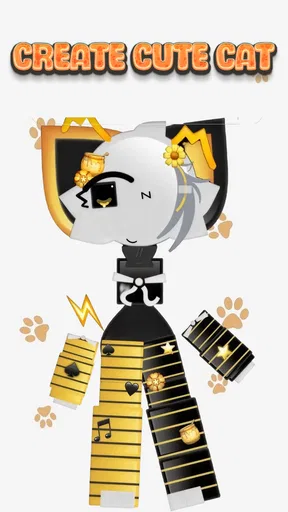
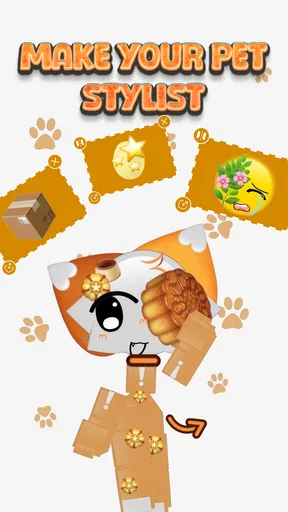
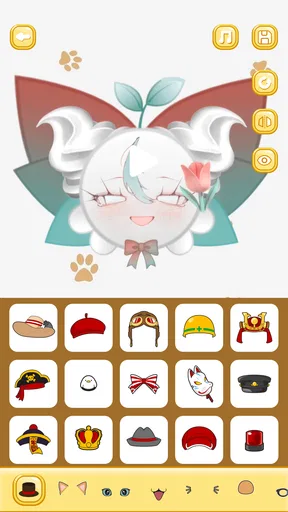
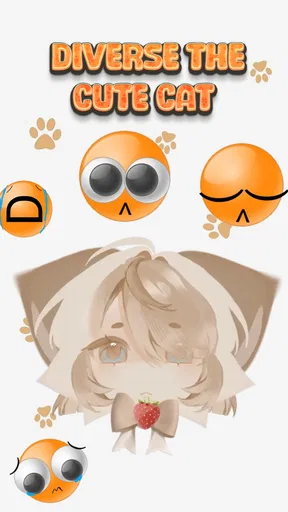
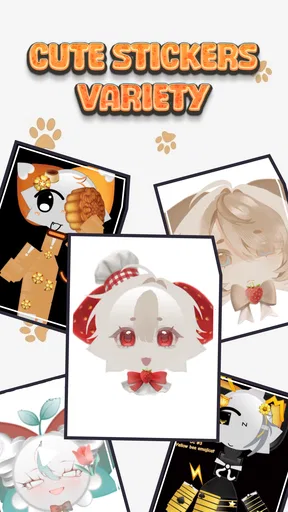
Our Review of Emoji Cat Creator: PFP Maker
 Analysis by Appyee
I opened Emoji Cat Creator: PFP Maker looking for a quick way to make a cheerful profile image rather than a full illustration project. That distinction matters. This is an Art & Design app from AthenaHotC built around creating cat-themed emoji-style pictures and PFP avatars, so its appeal is immediate: start with a playful idea, adjust it on a phone, and finish with something recognizable enough to use online.
My first impression was that it is aimed at people who want personality without having to learn drawing software. The app is free, carries an Everyone 10+ content rating, and has passed the one-million-install mark. Its current version is 1.1.6, and it runs on Android 6.0 or later. Those details make it accessible to a wide range of phones, although the experience still depends on how comfortably your device handles image editing and saving.
From a vague idea to a usable cat avatar
I like to begin with a clear destination in mind: a tiny profile icon needs a bolder, simpler face than an image meant to be viewed full-size. That small decision can save a round of edits later, especially when a platform crops the edges. Next, I look at how the app’s quick, character-focused approach holds up when I make several variations in one sitting.
Starting with the right expectation
The easiest way to enjoy this app is to begin with a small, specific goal. I would not open it expecting the control of a professional illustration editor. I would open it thinking, “I want a friendly cat face for my profile,” or “I need a cute image to send in a chat.” That mindset fits the product much better than trying to build a detailed scene with complex visual effects.
The store summary promises a fast design process, and that speed is the central strength here. Instead of spending time sketching ears, eyes, whiskers, and a recognizable expression from scratch, I could focus on choosing a visual direction and refining the result. The workflow feels closer to assembling a personal character than painting one pixel by pixel.
That makes the app especially suitable for people who are not confident artists, younger users who enjoy character customization, and anyone who wants a light creative break. It is also useful when the image has to be made quickly. A profile picture often needs to look clear at a small size, and a simple cat design can communicate more effectively than a crowded composition.
Building the character step by step
I found it helpful to treat the creation process as a sequence of decisions rather than trying to perfect everything at once. I first established the general cat identity, then considered the expression, then looked at the overall balance of the avatar. This order prevents a common mistake: spending too much attention on one charming detail before checking whether the complete image still reads well.
For a profile picture, the face should remain the visual anchor. I would keep the most important features near the center and avoid making the design depend on tiny elements around the edges. When an avatar appears in a small circle, subtle decoration can disappear, while a clear silhouette and strong expression usually survive the reduction.
A useful trick is to create two versions of the same idea: one with a restrained look for everyday accounts and another with more personality for messaging or social profiles. The first can be easier to recognize in a crowded comment section. The second can be more expressive when the image is viewed at a larger size. This is a practical way to use the app without constantly chasing one “perfect” design.
The emoji angle also changes how I judge the result. A cat does not need realistic anatomy to work. Exaggerated eyes, a simple mouth, or an amusing expression may communicate better than careful detail. I would lean into that visual language instead of trying to force the app into the role of a conventional drawing canvas.
Making the image work beyond the editor
The real test begins after the design looks finished. A profile image is not viewed in the same conditions as the editor preview. It may be cropped into a circle, displayed beside a username, reduced to a tiny account icon, or placed against a different background. Before settling on a final version, I would check whether the cat is still easy to identify when viewed small.
This is one of the app’s less obvious lessons: a visually busy avatar can feel exciting while editing but become unclear after handoff to another service. I prefer a design with one dominant expression and a limited number of competing details. That choice is not a limitation of imagination; it is good preparation for the places where the image will actually be used.
For chat use, I would make the expression slightly more exaggerated than for a formal profile. For a gaming account, I might choose a stronger personality. For a family group, a softer and simpler cat may be more appropriate. The same creation tool can support all three situations, but the best result comes from deciding the destination before finishing the artwork.
Handoffs: moving from creation to everyday use
The handoff is where many small design apps become less convenient than expected. Creating an image is only half the job; the finished picture must then move into a profile editor, a chat, a social account, or a personal gallery. I would plan for that transition by keeping the final design visually self-contained. If it needs a particular background or surrounding context to make sense, it may lose impact when another app crops or resizes it.
For a profile picture, I would leave enough breathing room around the cat’s face. This gives the destination service some flexibility when it applies a circular crop. A design pressed tightly against the frame can lose ears or decorative details. That is a small workflow decision, but it saves the frustration of returning to the editor after discovering that the exported image does not fit the intended account slot.
For sharing in a conversation, the priorities change. A compact, expressive design is more useful than a carefully balanced portrait because people usually react to it quickly. I would make a small set of related cats rather than repeatedly editing one image: a happy expression, a surprised expression, and a calm expression can become a personal visual shorthand in everyday messaging.
This is also where the free price helps. I can experiment without treating every attempt as a costly commitment. A free creative tool is easier to recommend for casual use because the user can test whether the style fits before deciding how much time to invest. The trade-off is that the experience should be approached as a focused avatar maker, not as a complete replacement for a larger art suite.
What the finished result does well
The strongest outcome is a profile image that feels personal without looking overworked. Cat characters naturally provide a friendly subject, and the emoji-inspired approach makes the result readable even when the design is simple. I like that this lowers the barrier between “I want a custom avatar” and “I actually made one.”
The app is also a good fit for identity changes. If you want a new image for a new account, a seasonal mood, or a playful group chat, you do not necessarily need a polished illustration. A customized cat can be enough to make the account feel like yours. That is a more realistic use case than expecting the app to produce a portfolio-ready piece of art.
Its audience size supports that casual appeal. The app has an average rating of 3.9 from around 4.1 thousand ratings, alongside roughly 157 written reviews. I read that as a sign of useful but not universally perfect appeal: many people can find value in the quick creative format, while others may want more control or a smoother path from editing to final use.
Where the flow breaks down
The main friction appears when I want precision. A fast avatar builder is convenient because it narrows the number of decisions, but that same focus can feel restrictive if I have a very exact character in mind. Users who want detailed brush control, layered composition, typography, or advanced color correction will probably be happier in a dedicated drawing or image-editing app.
There is also a difference between making something cute and making something distinctive. A cat avatar can be pleasant immediately, but a user who wants a highly individual visual identity may need to spend more time refining the concept than the app’s quick workflow encourages. The tool is best when its limitations help keep the design clear, not when they prevent an important idea from being expressed.
Another possible break occurs during resizing and cropping. Even a good design can lose its balance when another platform changes its shape. I would not judge the editor only by its preview; I would test the finished image in the approximate size and framing where it will appear. If the face becomes too small, or if the defining feature sits near an edge, the correct fix is to return to the composition rather than blame the destination platform.
People who need a transparent asset, a carefully controlled canvas, or a series of matching illustrations should also think twice before choosing this as their main tool. A specialist editor may take longer to learn, but it will usually provide more dependable control for those jobs. This app makes more sense when speed, charm, and low effort matter more than technical flexibility.
Who should install it
I would recommend it to someone who wants a custom cat profile picture and does not want to draw from a blank canvas. It is particularly approachable for casual creators, families looking for a simple creative activity, and users who enjoy changing their online appearance without committing to a complicated design process.
A realistic everyday scenario would be setting up a new messaging account during a lunch break. Instead of searching through generic pictures, I could create a cat with an expression that matches my personality, check that it remains recognizable as a small icon, and then use it as the account image. The whole value is in turning a vague need into a usable result without a long learning curve.
I would skip it if my priority were professional illustration, exact branding, photo manipulation, or full ownership of every visual layer. In those cases, the usual alternatives in the Art & Design category are stronger because they offer more precise tools, even if they are slower and less playful. Choosing this app is a trade-off: less technical depth in exchange for a quicker route to a friendly avatar.
My final take on the complete workflow
The best reason to use this app is that it turns avatar creation into a small, manageable creative task. I can begin with a simple idea, shape a cat around that idea, check whether the design survives a small crop, and then hand it off to the place where I actually need it. That complete path is more important than any single editing option.
AthenaHotC has positioned the app clearly within lighthearted Art & Design, and the result is easy to understand: it is a free tool for making cat-centered emoji and PFP artwork, not a general-purpose studio. The Everyone 10+ rating also makes its tone approachable for a broad audience, while the Android 6.0 requirement keeps the technical entry point modest.
After using it, I see the 1.1.6 release as a practical choice for quick personal graphics rather than a destination for serious digital artists. If you want a cute identity image, enjoy character customization, and are willing to check the final crop before sharing, I think it is worth trying. If your workflow depends on detailed control or polished production assets, choose a fuller editor instead. For the right starting condition, though, Emoji Cat Creator: PFP Maker delivers a pleasant result with very little resistance.
Verdict
Strengths of Emoji Cat Creator: PFP Maker
- Large emoji library for creating playful cat-themed profile pictures.
- Simple editing tools make customization quick for beginners.
- Useful for social media avatars, chats, and gaming profiles.
- Cute visual style appeals to fans of cats and expressive stickers.
- Finished creations can be saved and shared with minimal effort.
Limitations of Emoji Cat Creator: PFP Maker
- Some designs and customization options may require in-app purchases.
- Ads can interrupt the editing experience, especially in the free version.
- Limited advanced controls for users seeking detailed image editing.
- Export quality or available formats may not suit every platform.
- The app’s novelty may wear off after creating a few profile pictures.
Other Releases by AthenaHotC
View All
PFP Maker: Cat Emoji
Art & Design4.0

Black Centered - BLK Maker
Art & Design3.6
Similar Picks in This Category
View All
Canva: AI Photo & Video Editor
Canva4.8

PENUP – Drawing-sharing SNS
Samsung Electronics Co., Ltd.4.5

Crafto
Kutumb App4.6

Sketchbook
Sketchbook4.1

ibis Paint X
ibis inc.4.5

Adobe Express: AI Photo, Video
Adobe4.6
Frequently Asked Questions
What is Emoji Cat Creator: PFP Maker?
Emoji Cat Creator: PFP Maker is a creative customization app for designing cute cat-themed profile pictures and avatars. It lets you combine facial features, ears, eyes, colors, expressions, accessories, backgrounds, and other decorative elements to create a personalized image. The app is mainly aimed at users who want an original profile picture for social networks, messaging apps, gaming accounts, or personal use.
Is Emoji Cat Creator: PFP Maker free to download and use?
The app can generally be downloaded free of charge, but some creative elements or advanced customization options may be restricted behind in-app purchases, premium access, or advertisements. The available content can vary depending on the version and device platform. Before confirming a purchase, check the store listing and the in-app pricing carefully, especially if children may use the application.
Can I save and share the profile pictures I create?
Yes, the app is designed to let you save your finished cat avatar or profile picture to your device and share it through compatible applications. After completing a design, look for the save, export, or share option in the editor. Image quality and available formats may depend on the app version, and you should allow storage or photo access if the application requests permission to save your creation.
Does Emoji Cat Creator: PFP Maker require an internet connection?
Basic avatar creation may work without a constant internet connection once the application and its available assets have been installed. However, an internet connection can be necessary for downloading additional content, displaying advertisements, restoring purchases, receiving updates, or using sharing features. If certain stickers, backgrounds, or tools do not appear offline, reconnecting to Wi-Fi or mobile data may be required.
Is Emoji Cat Creator: PFP Maker suitable for children?
The colorful cat designs and simple customization tools may appeal to children, but parents should still review the app before allowing independent use. Advertisements, optional purchases, external sharing, and privacy permissions can vary by version. It is advisable to check the age rating, disable unauthorized purchases, supervise sharing activity, and explain that profile pictures should not include private information such as a real address, school, or contact details.
